Use the voice to text feature
If you want the convenience of not having to enter text into your inquiry, you can record it for Client360 to transcribe.
You can use the voice to text feature in the following places:
-
While opening an inquiry.
-
While closing an inquiry.
-
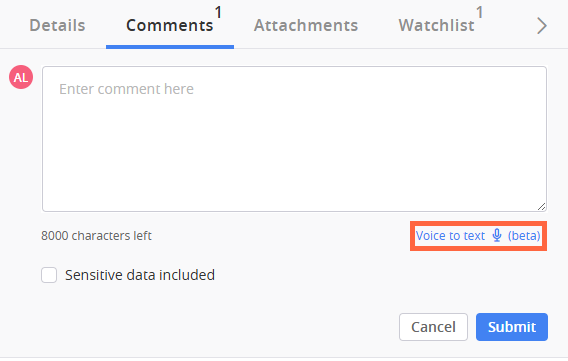
While entering a comment on an inquiry.
Client360 must have access to the microphone for this feature to work. If it does not currently have access, you will see a pop up asking you to grant it access.
To use the voice to text feature, select Voice to text below the comment box. After you select the button, Client360 begins recording. Verbalize your comment in a clear way for Client360 to pick it up.
 View image
Please allow Client360 15 seconds to transcribe your recording. If you are satisfied with the text it transcribes, select Submit or move to the next step of the process, depending on where you are. If you are not satisfied, delete the text and record again.